Where do the hours come from?
The financial review starts from approved Time & Attendance records for the selected guard and period.
 CheckpointGuard
Review approved attendance and configured pay rules before using workforce totals. Compare employee, site and sector costs to understand the staffing behind each security contract.
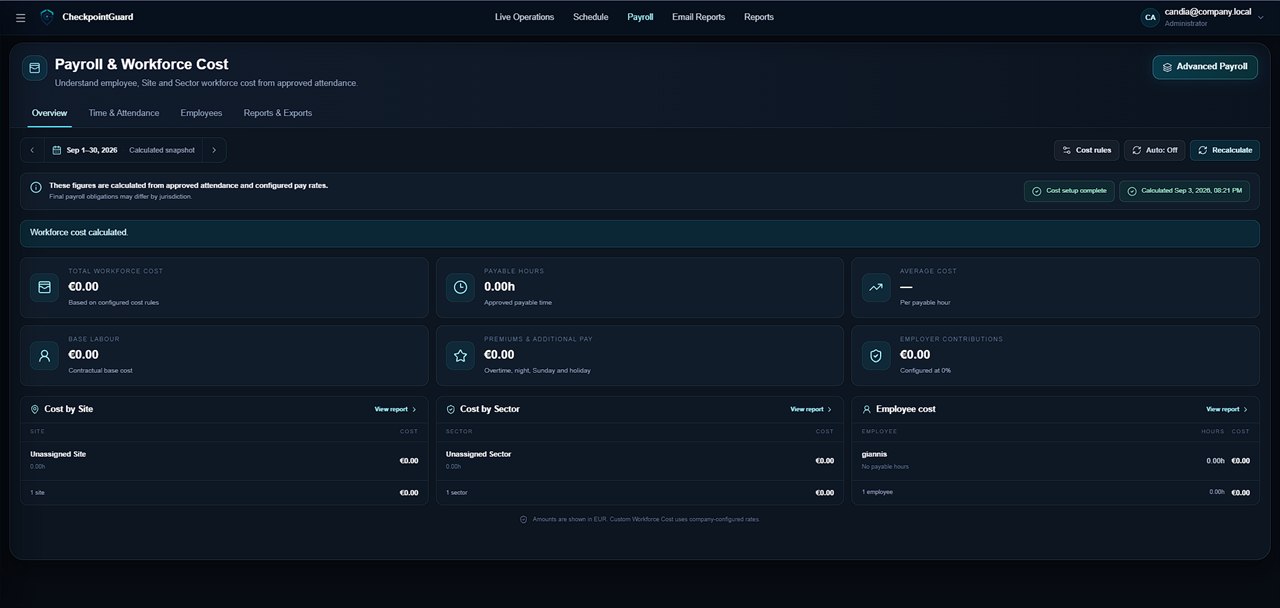
Review attendance entries for the selected period and investigate missing or unusual hours. The monthly timesheet shows daily detail so a manager can check the source of a total before approving it for pay preparation.
Use the workforce-cost dashboard to review employee, site and sector totals. This helps compare the hours committed to a contract with the operation's cost picture. The screenshots show the actual cost and attendance views with representative records.
Cost calculations depend on approved entries and the company's configured rules. Check adjustments and applicable payroll treatment before using the result in your payroll process. CheckpointGuard supports preparation and operational review; it does not make a disputed time entry correct automatically.
Choose the same period when comparing employee, site and sector totals. If a figure looks unexpected, inspect the attendance behind it and the configured rules before using the calculation outside the operations team. The workforce-cost reports present these views from the same calculation snapshot; they answer different allocation questions, so do not add all three totals together as separate costs. Keep unresolved attendance and pay-rule questions with the responsible reviewer before handing figures to the organisation's payroll process.
Review employee hours and pay entries by day, month and sector before using them in workforce-cost reporting.
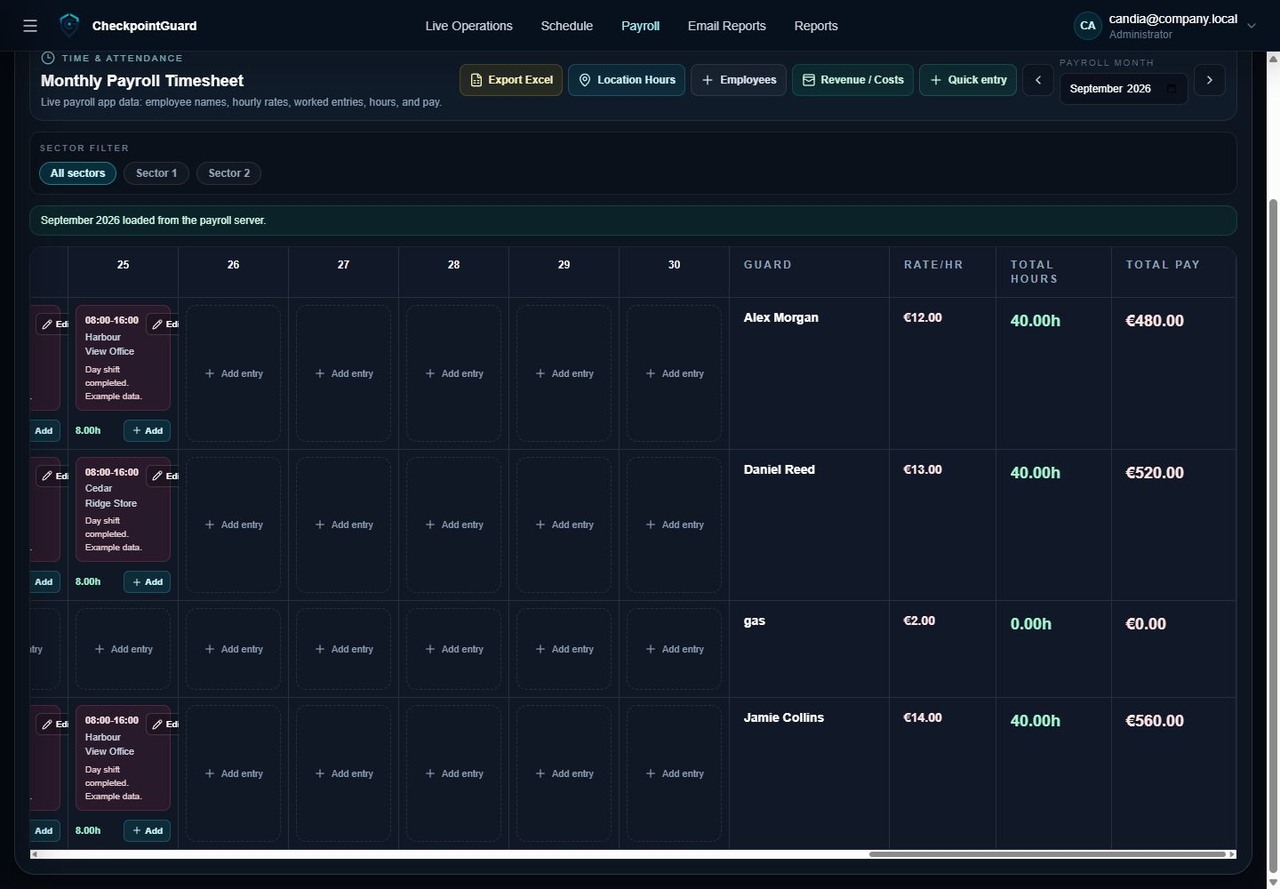
The financial review starts from approved Time & Attendance records for the selected guard and period.
Available reports and exports help pass reviewed pay and cost information to the people responsible for the next step.