An Android security guard app for the work in the field.
Use CheckpointGuard on an Android phone for assigned shifts, QR and NFC patrol checkpoints, GPS updates, messages and SOS. Your account role determines whether you see guard or administrator tools.
Get CheckpointGuard on Google Play Book a demo Start 14-day free Gold trial
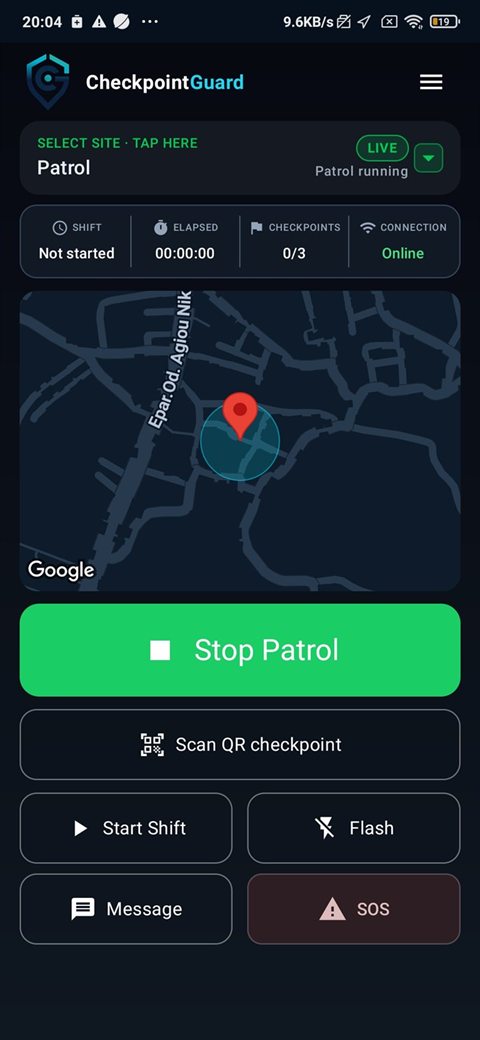
Guards can run patrols, verify checkpoints, report active-work location, message supervisors and raise an SOS from Android.
Install the app and use the assigned account
Download CheckpointGuard from Google Play and sign in with the account provided by your organisation. A guard account opens the patrol workflow; an authorised administrator sees supervision tools. Administrators can create a new Gold trial through the website's Google signup.
Set up your first site and guard
Start the shift and record patrol visits
Select the assigned site, start the patrol and scan its QR or NFC checkpoints. Each accepted visit is attached to the guard, site and event time, ready for the supervisor to review. Test the first visit in the dashboard before starting a full route.
Set up NFC guard checkpoints
Send messages and urgent alerts
Use the app to send operational messages and raise an SOS where enabled. Device connectivity affects when supervisors receive updates. The app supports your organisation's response procedure; it is not a replacement for emergency services.
Prepare the phone for field conditions
Test camera scanning, NFC compatibility, location permissions and battery settings on the actual device. Supported offline events upload after reconnection. Check the event time when reviewing recovered records, and confirm that active-work tracking stops through the intended end-of-work flow.
- Check camera access for QR scanning and NFC support for tag scanning.
- For enabled GPS tracking, check location permissions and battery settings.
- Test a short patrol and confirm the received visits in the supervisor dashboard.
Mobile security supervision from Android
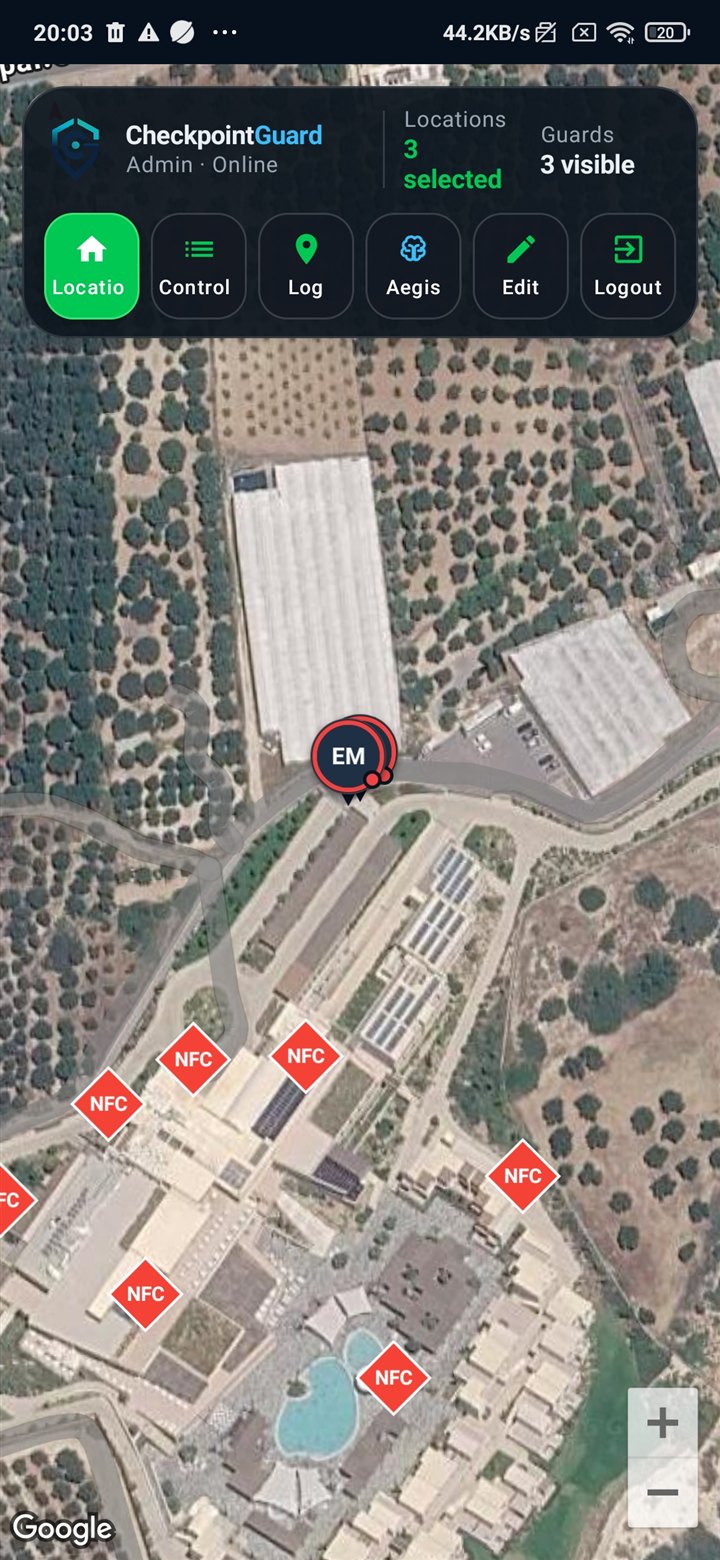
Supervisors can review active guards, sites, live map context, patrol status, alerts and field activity while away from the web dashboard.
FAQ
What is a security guard patrol app?
A security guard patrol app records field activity such as patrol starts, GPS updates, QR or NFC checkpoint visits, messages and SOS alerts. CheckpointGuard connects those records to the relevant guard, site and patrol so supervisors can review the work.
Does the CheckpointGuard Android app work offline?
Supported patrol events, GPS points, messages and QR or NFC scans can be queued when connectivity is unavailable and uploaded after the phone reconnects. The original captured time is retained, and delayed data is not presented as the newest live position.
Can CheckpointGuard track active guard GPS?
Yes. When active-work location tracking and the required phone permissions are enabled, accepted GPS updates can appear in live operations and build patrol history for supervisor review.
Can guards scan QR and NFC checkpoints?
Yes. Guards can scan CheckpointGuard QR codes with the Android camera and tap configured NFC patrol tags. Accepted visits are timestamped and connected to the guard, checkpoint, site and patrol.
Can supervisors monitor security operations from Android?
Yes. Authorized supervisors can review visible guards, sites, live map context, patrol status, alerts and operational activity from Android while away from the web dashboard.
Where can I download CheckpointGuard for Android?
CheckpointGuard is available from Google Play. The developer account is CheckpointGuard Technologies.
Related CheckpointGuard solutions
 CheckpointGuard