Does CheckpointGuard include scheduling?
Yes. The admin dashboard includes schedule windows and workflows for planning guard shifts.
 CheckpointGuard
Build the weekly roster, review site coverage and compare planned shifts with recorded work. Prepare approved hours for guard-pay and labour-cost review without rebuilding the schedule in a separate spreadsheet.
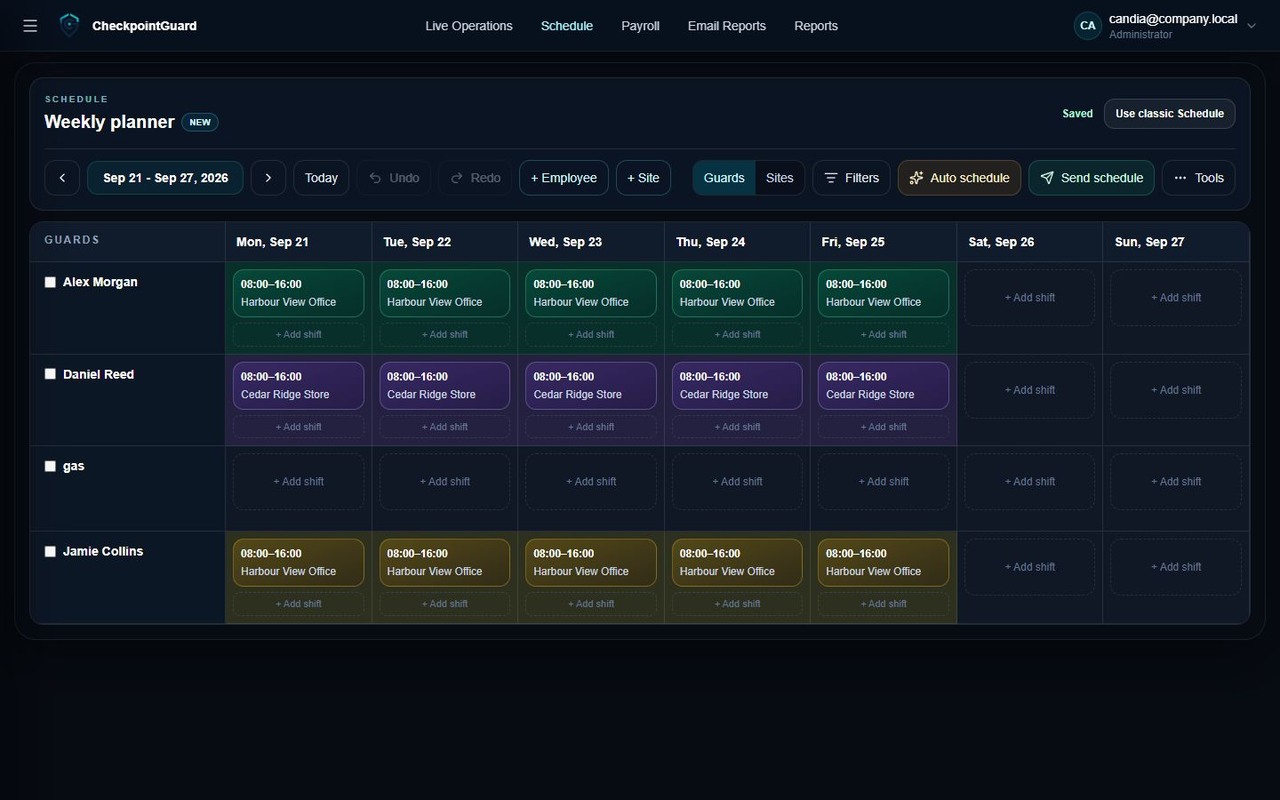
Select the week, assign guards to sites and review coverage before sharing the schedule. Filter by guard or site when handling an absence or a changed requirement. The weekly schedule screenshot below shows the actual planning workspace.
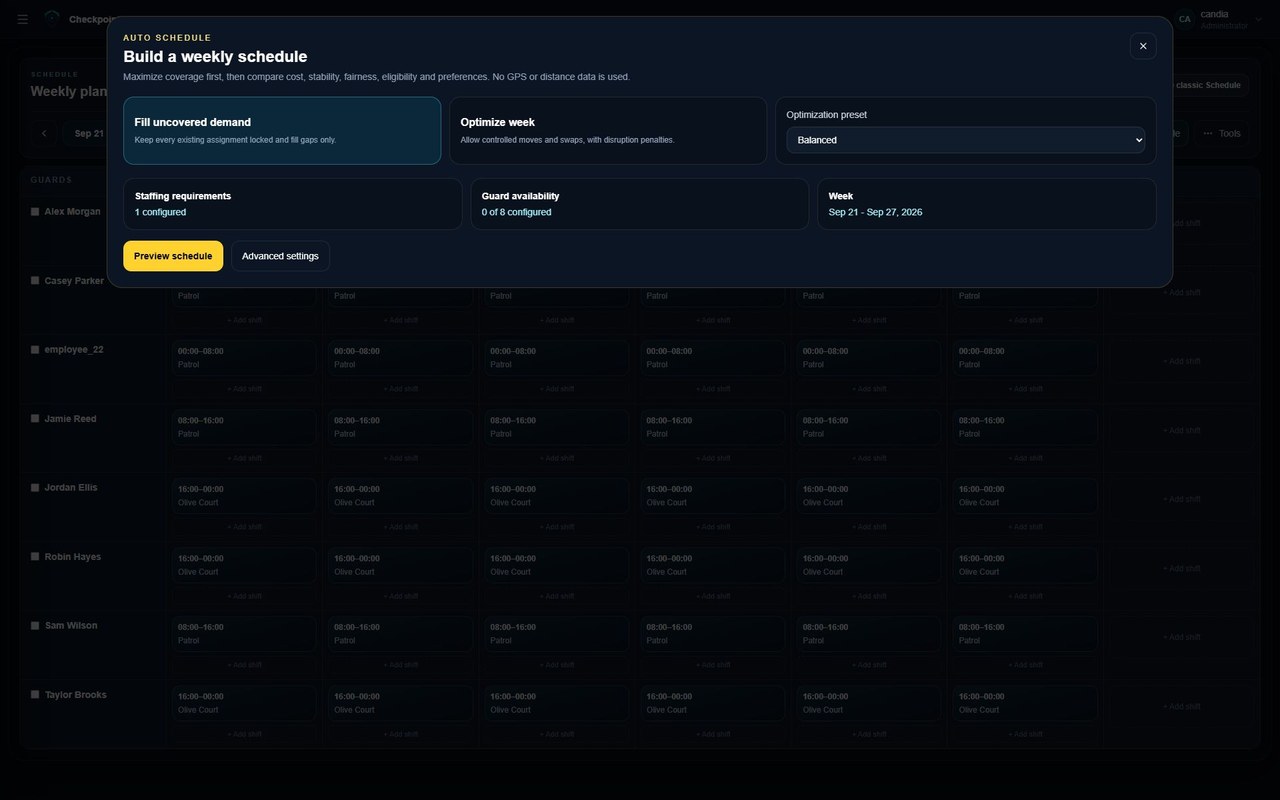
Use Auto Schedule to propose coverage around configured requirements, availability, rest rules, cost, stability and fairness. Review the proposal and its exceptions before accepting it. A generated roster still needs a supervisor's check against the operation's requirements.
Review the shift alongside recorded time and attendance entries. Investigate missing or unexpected time before approving payable hours. The monthly attendance view keeps daily entries available for review rather than reducing everything immediately to one total.
Approved time and configured pay rules support employee, site and sector cost review. Use those figures for operational planning and payroll preparation. Confirm the final payroll treatment in the organisation's payroll process; a schedule alone is not proof that every hour was worked.
Use one site's real coverage requirements for your first scheduling demonstration. A proposed roster needs supervisor review before it becomes the team's working plan.
Illustrative example: a guard is scheduled from 22:00 to 06:00, but the recorded start is 22:12. Those two records answer different questions. The supervisor investigates the discrepancy and applies the organisation's configured rules; scheduled hours should not silently become approved pay.
| Record | Question to resolve |
|---|---|
| Scheduled shift | What coverage was planned? |
| Recorded attendance | What start and finish events were received? |
| Patrol and messages | What context explains a discrepancy? |
| Approved payable time | What time has the supervisor accepted under the configured rules? |
Ironwall Security uses automatic scheduling together with live operations, recurring client reports and Aegis-assisted review across internal and partner teams. Its implementation story explains how those teams coordinate their scheduling and reporting workflows.
Use a test site with coverage from 22:00 to 06:00 and two eligible guards. Enter their availability, generate a proposal and inspect which guard covers the shift. If a guard is unavailable, change the input and review the resulting coverage instead of assuming the proposal can satisfy every constraint.
Scheduling and Time & Attendance are included in Gold and Platinum. Gold for 1-3 guards is EUR 65.33 per month billed annually (EUR 784.00 per year), or EUR 77.00 billed monthly, excluding VAT. Enter site coverage and guard availability first. Automatic proposals need supervisor review and depend on the rules and information you supply.
Continue the illustrative 22:00–06:00 example above: if the assigned guard becomes unavailable, review the replacement's availability and the site's full overnight coverage before changing the roster. Check the start date and the finish on the following day, then inspect any remaining gap or conflict. An automatic proposal is a planning aid, not confirmation that a guard accepted or completed the work.
After the shift, compare recorded attendance with the eight scheduled hours and investigate exceptions before pay preparation. Keep the coverage decision, attendance review and configured cost calculation distinct. The existing weekly schedule, Auto Schedule and attendance views support different stages of that review; no single screenshot or patrol scan replaces all three.
Download the schedule template with split replacement coverage
Generate a proposal around coverage, cost, stability, fairness, rest rules, preferences and configured requirements.
Yes. The admin dashboard includes schedule windows and workflows for planning guard shifts.
It calculates guard pay from recorded hours and configured guard or location hourly rates, shows monthly totals and exports payroll data to Excel. Admin review remains part of the workflow.
No. The verified implementation does not submit ERGANI, Digital Employment Card, APD or e-EFKA records, file taxes, execute bank payments or replace a payroll accountant.
Because supervisors need to compare who was scheduled, who was active, what happened during the shift, and what should be reviewed for payroll or reports.
No. The schedule shows who should work. Time & Attendance records and reviews who actually worked.
The separate Guard Pay & Labour Cost area turns approved work into the financial totals available in the represented release.